Google Calendar Plugin
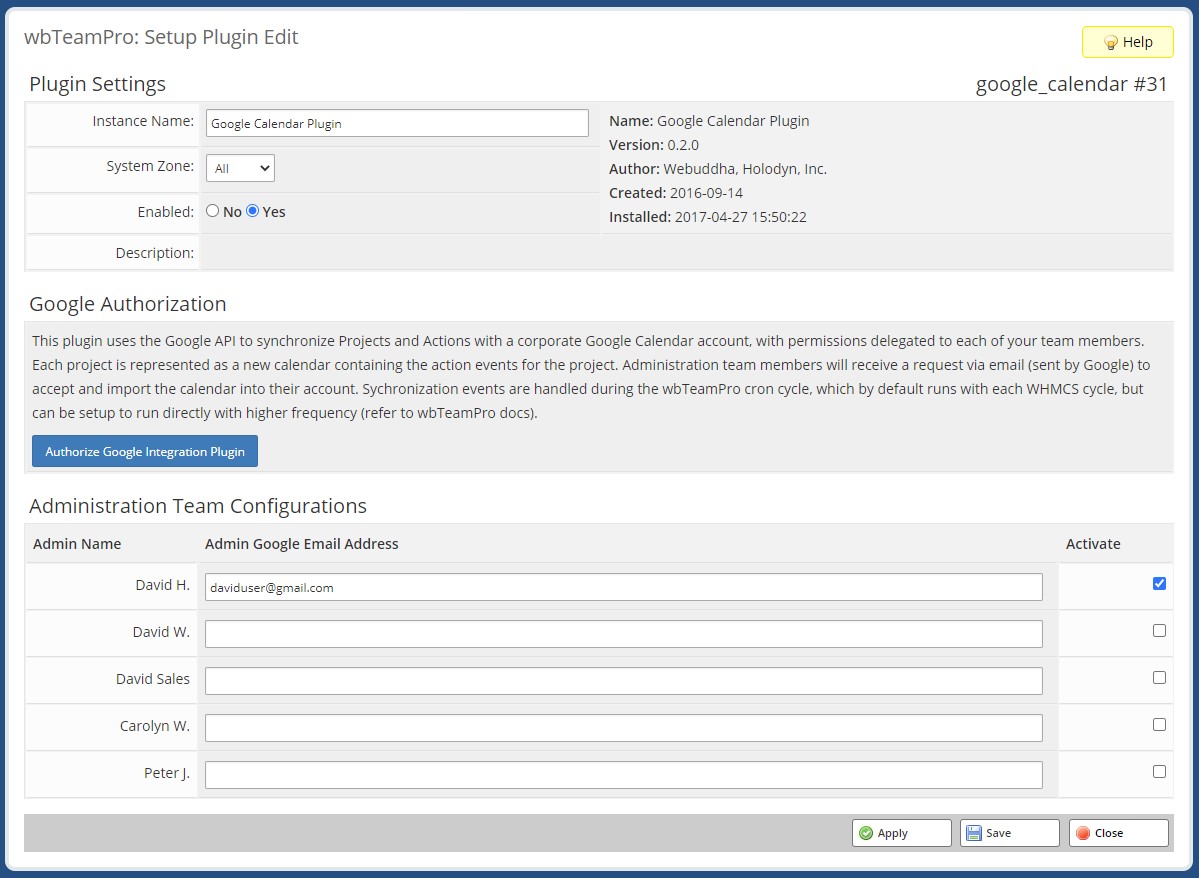
This plugin uses the Google API to synchronize Projects and Actions with a corporate Google Calendar account, with permissions delegated to each of your team members. Each project is represented as a new calendar containing the action events for the project. Administration team members will receive a request via email (sent by Google) to accept and import the calendar into their account. Sychronization events are handled during the wbTeamPro cron cycle, which by default runs with each WHMCS cycle, but can be setup to run directly with higher frequency (refer to wbTeamPro docs).
Configuration
To configure the Google Calendar you will need to grant permission of the Google Calendar API to the plugin. From the Project > System > Manage Plugins page you will open the Google Calendar plugin to access the plugin configuration.

To activate the plugin you will need to press the Authorize Google Integration Plugin button and follow the steps from Google to authenticate the app.
You want to consider activating this app using a primary corporate calendar since this account will synchronize all project events. Assigned events are then delegated to secondary accounts.
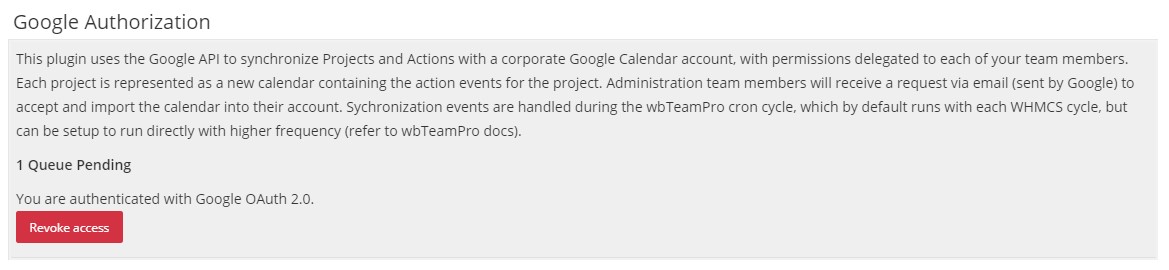
You will know the activation is successful when your plugin displays the Revoke Access button below a counter of any events pending calendar synchronization.
Once connected you need to provide the GMAIL address for each employee and select the Enabled checkbox.
Sync Behavior
The Google Calendar integration performs synchronization in batches during the WHMCS cron cycle. When Project or Project Action changes it is pushed into the queue for calendar synchronization on the next cycle. Each project will appear as a calendar, with Milestones, Groups, and Tasks with the calendar. Deleting a Project or Project Action will remove it from the Google Calendar.
Changes made to the Google Calendar will not be reflected in wbTeamPro. The synchronization is uni-directional.